At the start of a new year, I like to make a scrapbook layout to document my hopes and dreams for the upcoming year. This layout serves as a starting point for documenting my life – the good, the bad, all of my challenges, and everything in between.
I always start the year filled with so much hope and optimism. I love the idea of starting fresh and considering all of the wonder possibilities that await. The act of creating this layout every year fills my heart with so much joy. I’m setting the pace for the year ahead…documented with words and pictures.
This layout was created during my YouTube Livestream, the first livestream I’ve hosted in six months. I had a blast creating this layout just for fun versus creating on demand! I found a Hip Kit Club scrapbooking and embellishment kit (which I totally forgot that I had), and thought it would be perfect to for this layout. The kit features colorful fall themed elements, nothing related to New Year’s, but it works! This is the beauty of stretching your supplies and using them outside of their intended purpose.
In addition to the kit, I used letter stickers from my stash that work perfectly with the color scheme. When possible, I love to pair some of my older stash items with new and unused products – this is truly the best of both worlds!
And true to form, this layout features multiple photos, journaling, layers of die cuts, chipboard, and other elements – all of my favorite things! I feel that I am starting to find my creative flow again…and it’s amazing!
Recorded Replay: To see this layout come together, be sure to watch the recorded replay of my New Year’s 2024 YouTube Livestream. During the livestream, I share a brief life update as well as information about my Year of the Freeze Challenge and my upcoming online class, Project DONE: A 12-Week Intensive Scrapbooking Journey! The construction of the layout begins at timestamp 40:30…just in case you want to skip the chatty part of the stream…enjoy!
Over the past year, I have been inspired to reduce my crafty spending and to challenge myself to use more of my stash to create layouts, mini albums, cards, and other papercrafting projects. To be honest, I overspent on cardmaking supplies in 2022 and I still have a lot of scrapbooking products that I purchased along with product that was sent to me for various freelance projects and classes.
While amassing a sizable crafting stash is fun (really fun), like many of you, I have become overwhelmed with product. It seems like new products are released on a monthly basis from some of our favorite crafting companies. Don’t get me wrong…I love a good product release, but I also know that I need to be more conscience of my crafty spending habits. There were months when I spent $200-$300 on craft supplies alone!
That is a lot of money!
And sadly, a lot of what I purchased was never used. For example, I spent over $1500 (yes, I did the math) on stamping and cardmaking products in 2022.
Do you know what I could have done with that money?
Makes my head hurt…as well as my bank account!
Did I use all of the products that I purchased?
HECKNO!
In fact, I purchased new storage bins to organize all of the extra product that I could not fit into my normal crafty storage. INSANE!
Interestingly, I have learned that I am not alone in feeling overwhelmed by crafty products. Recently, I spent hours pouring through posts on scrapbook and cardmaking forums, Facebook groups, and the like, reading comments from other crafters who feel the same way. Some crafters felt frustrated with their buying habits and feel that they need to use more of their crafty stash.
Additionally, other themes emerged:
A lot of crafters commented that they would like to see FEWER product releases and more of an emphasis on learning how to use the products they purchase before new products are introduced. There seems to be a shorter period of time between new releases, which limits the time for crafters to use the products they purchase before new goodies come to the market.
Crafters would like to see content creators (such as myself) use their stash and focus more on scrapbooking and cardmaking techniques versus showcasing new products in each video.
Some crafters commented on being LESS excited about the new products that are coming to the market because most of it seems “one-note” – the same color schemes, repetitive designs, lack of diversity among product designers (companies using the same designers all of the time), lack of interesting and diverse icons, etc. This has led some crafters to rely on using older products in their stash that appeal more to their style.
So, armed with this information, I decided to create a year-long challenge that focuses on spending less and using MORE of our crafty stash and exploring a variety of papercrafting techniques.
The 2024 Year of the Freeze Challenge
Here are the deets! For this challenge, I am going to freeze spending on scrapbooking and cardmaking supplies in 2024. Instead, I will focus on using products from my stash. I recently purged my stash and have narrowed my selection of products to the items that I absolutely love.
However, there are a few exceptions – it’s important to be flexible.
Spending On Consumables: I will continue to purchase consumables such as adhesives, solid cardstock, pens/markers, stamping ink and refills, etc.
Spending on Replacement Tools: If a tool breaks, I will replace it as needed.
Spending on Must Have Items: If there is an item that I must have, I will give myself permission to purchase it. But, it has to be something that I will use right away.
NO Pressure! I can start, stop, and resume at anytime!
Change My Approach: I can change my approach to this challenge at anytime and make adjustments as needed throughout the year…guilt free!
Throughout the year, I will use a variety of items from my stash. If I do not have a particular item, I will need to figure out how to create what I need using the products and tools that I have available to me. Recently, after going through my stash, I noticed that I have a lot of beautiful products and fun tools just waiting to be used in a creative way! NOW is the time to put them to good use!
Also, all of the videos that I post on my YouTube Channel and Patreon community this year will feature projects using my stash. I want to practice what I preach!
NOTE: If you are inspired by the products that I’m using, I urge you to find or create similar items using materials from your stash before purchasing new products!
Want To Play Along? Let’s Go!!!
If you are interested in participating in the Year of the Freeze Challenge, here are a few things to keep in mind:
How Long Will Your Freeze Be? You DO NOT have to do a year-long freeze! In fact, you can challenge yourself to do a 30-day, 60-day, 90-day or half a year freeze. Maybe try a bi-monthly freeze or a seasonal freeze…it’s completely up to YOU!
Decide What Products to Freeze: Make a decision about the products you want to freeze. For example, you may suspend purchasing only scrapbooking supplies, or perhaps only patterned paper and stamps. Maybe you need to freeze purchasing online classes and focus on starting and finishing the classes you already purchased. It doesn’t have to be all or nothing.
Start, Stop, Resume at Anytime: Feel free to start, stop, and resume your freeze at anytime – it’s okay to be flexible with this challenge.
Prepare: Take some time to prepare for your freeze by purchasing your most needed items, organizing your space, and letting go any products you no longer enjoy. I also recommend creating kits using items from your stash to help streamline the creative process.
It’s Okay To Shop – Guilt Free! If you come across a product that you must have…buy it, guilt FREE! Focus majority of your efforts on using products from your stash, but give yourself permission to indulge occasionally if there is something you really, really, really want! NOTE: It’s okay to purchase consumables (i.e. adhesives, solid cardstock) during your freeze.
Make Projects: Once you are ready, start making your projects! Challenge yourself to exclusively use items from your stash. Don’t forget to use your tools (i.e., punches, dies, cutting machine) and crafty resources (i.e., magazines, books, blogs, social media, videos, classes) as you make your projects. There are is a ton of creative inspiration to explore!
Focus On Learning: Use this time to practice papercrafting techniques or teach yourself how to use a specific tool or product.
Most of All…Have Fun! This challenge should not be stressful! Have fun and enjoy making beautiful projects from your crafty stash!
Let’s Go!
Now that you have all the details, it’s time to start the 2024 Year of the Freeze! Be sure to join me LIVE on the Victoria Marie YouTube Channel today at 2:00 pm CST as I talk more about this challenge and watch me make a 12×12 inch layout using items from my stash.
Hello lovely reader! After a short break, I am happy to announce that the Victoria Marie YouTube Channel is back and ready for a brand new year of awesome papercrafting inspiration!
To kick off the New Year, I will be hosting a YouTube Livestream on January 1, 2024 at 2:00 pm CST. This livestream session will be jammed packed to include a brief life update, my annual New Year’s scrapbook layout project, and I will be sharing information about my Year of the Freeze Challenge!
Mark your calendar and come joined me on New Year’s Day at 2:00 pm CST! And as always, this session will be recorded! I hope you will join me.
Did you catch today’s livestream on the Victoria Marie YouTube Channel? Well my friend, click on the video below to check it out! I created a 12×12 inch scrapbook layout using a variety of items from my stash. As you can see, this layout is super colorful! There is a lot of movement and of course, five 3×4 inch photos! I love multiphoto layouts!
To see this project come together, click on the following video. Also, be sure to scroll down to see photos of this project and a list of products I used. Keep in mind that some of the collections may not be available.
I hope you are inspired to reach deep into your stash for similar items if you wish to replicate this design. And don’t forget to share your layout with the Victoria Marie Designs Facebook Group Community!
MINI WORKSHOP: One more thing…if you want to grow your scrapbook layering skills, be sure to check out my upcoming Let’s Create! Layered Embellishment Clusters Mini Workshop!
This 90 minute workshop is scheduled for May 27, 2023 at 10:00 am CST LIVE on Zoom. During the workshop, I will be demonstrating my easy process for creating layered clusters on a scrapbook layout. You don’t want to miss it!
And of course, the workshop will be recorded so feel free to grab your spot and watch the replay at your convenience. To learn more and to register, click HERE! This workshop is only $10.00 USD and is open to anyone who wants to participate!
Now, on to the livestream replay…enjoy!
Project Photos
Products Used (NOTE: Some items may not be available. Check manufacture for current product options.)
Pattern Paper – Vicki Boutin Color Study (American Crafts)
Embellishments – Vicki Boutin Color Study (American Crafts)
Embossed Puffy Stickers – Vicki Boutin Color Study (American Crafts)
Butterfly Stickers – Hip Kit Club Exclusive (2021)
Embossed Puffy Stickers – Amy Tangerine Late Afternoon (American Crafts)
Sticker Book – Amy Tangerine Brave & Bold (American Crafts)
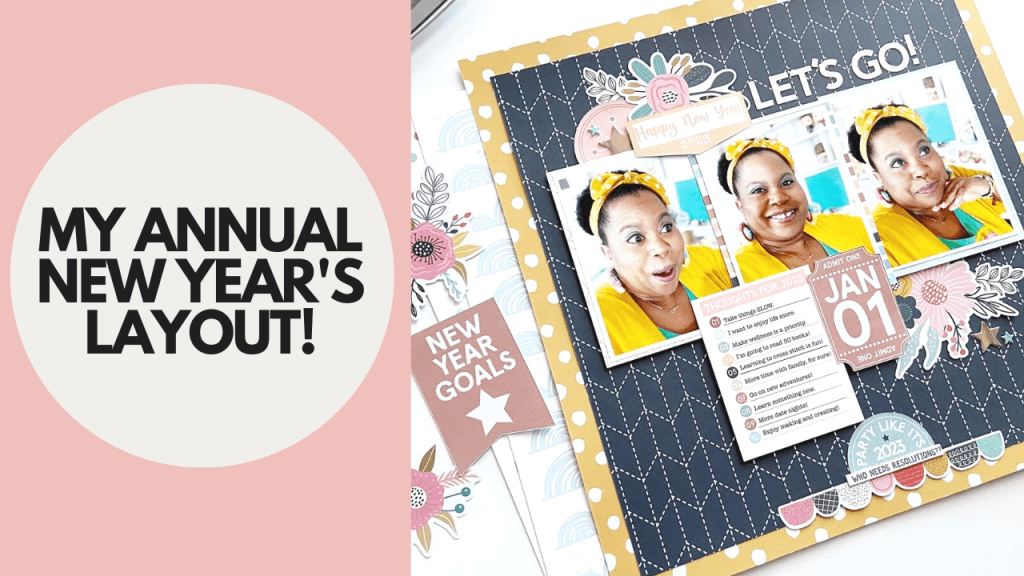
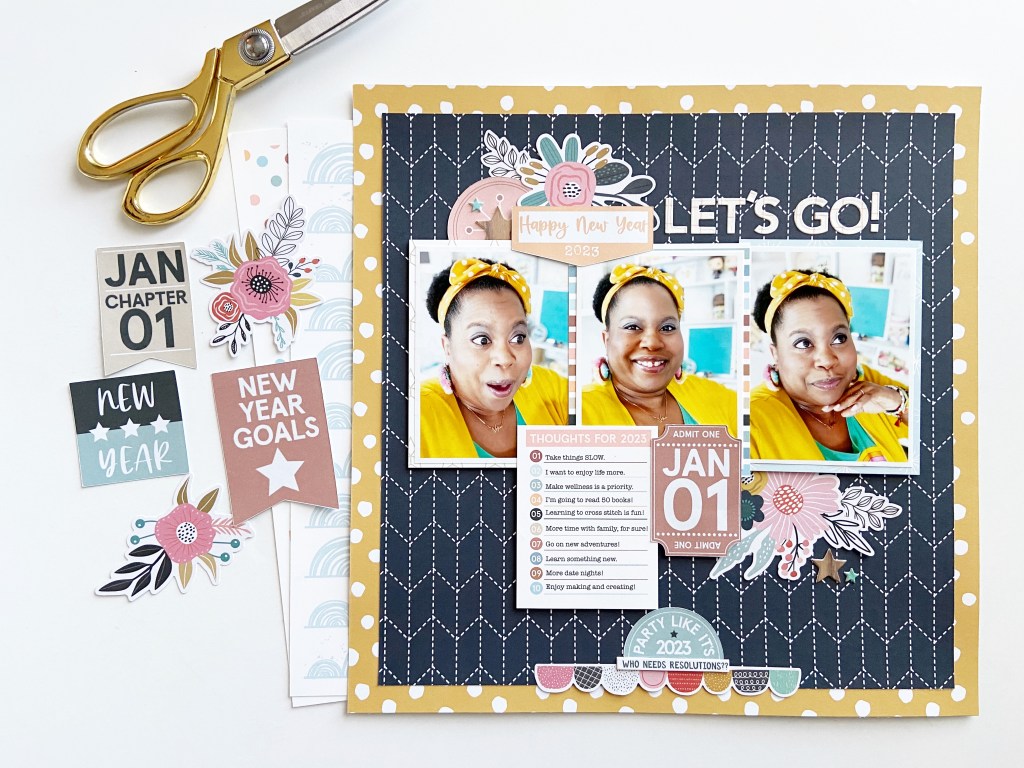
At the beginning of each year, I make an annual New Year’s scrapbook layout. I started this tradition several years ago and consider it to be an important part of my scrapbooking journey. This project serves as a jumping off point for my storytelling adventures and a declaration of what I hope for in the coming year.
I started this project by taking a selfie! I have found that if I don’t take photos of myself, no one else will (unless I ask)! The photos for this project were resized to 3×4 inches.
Next, I looked for New Year’s themed products in my stash…of which I had NONE! So, I grabbed a digital kit from The Cut Shoppe and paired that with pattern papers and embellishments from the December 2022 Hip Kit Club main kit and embellishment kit. The color story in both collections coordinate perfectly to create a cohesive spread!
I kept the journaling for this project super simple. In the past, I have documented self-improvement resolutions on my New Year’s layouts. However, I have recently found that I prefer to make a list of realistic intensions based on enjoying my life versus self-improvement. For this project, I used a 3×4 pocket card from the Document 365 Collection to journal my plans and thoughts for 2023.
Want to See This Layout Come Together? Be sure to check out my latest livestream on the Victoria Marie YouTube Channel to see how I created this layout.
I hope you are inspired to create your own layout that features your hopes and dreams for the New Year!
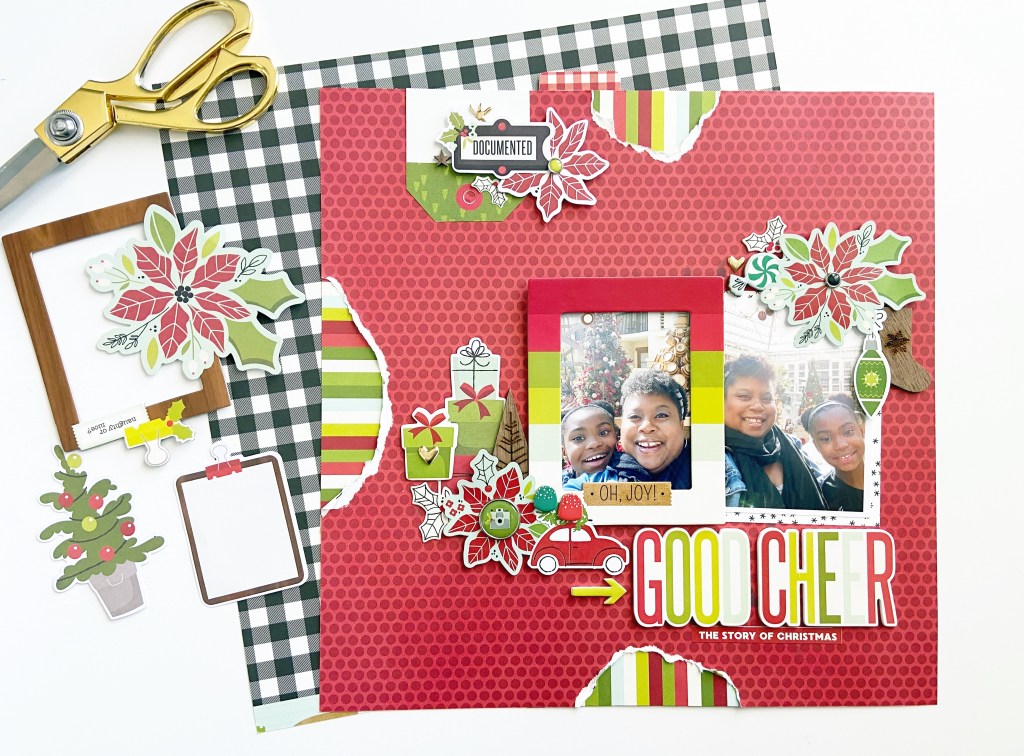
Did you miss this week’s livestream on the Victoria Marie YouTube Channel? No worries! Be sure to check out the replay to see me create this 12×12 inch scrapbook layout using products from my holiday stash!
To be honest, I need more holiday scrapbooking supplies like I need a hole in my head! In fact, this year I decided to use my holiday scrappy stash for my Christmas projects, both single page layouts and my December Daily album, instead of buying new holiday supplies. For this project, I used a lot of goodies from the Simple Stories Make It Merry Collection along with a few items from older collections by American Crafts. I love to challenge myself to use some of my older products for my current projects.
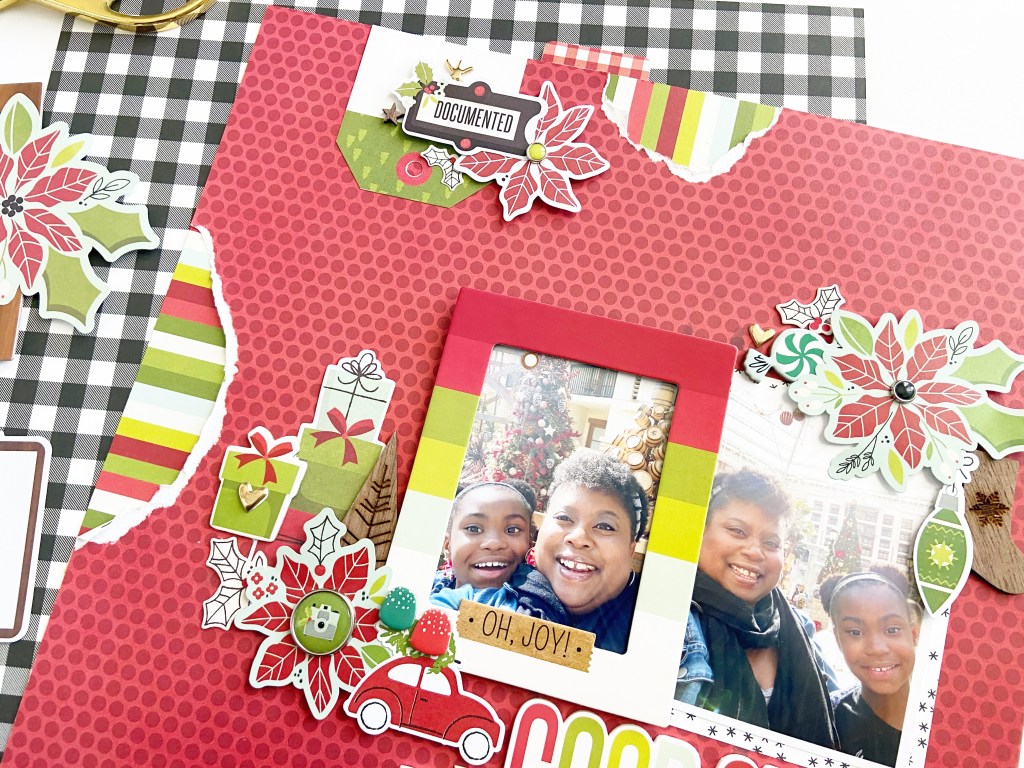
For this project, I documented a past trip to the Gaylord Texan with my daughter to see their lovely Christmas displays. This is a special holiday activity we enjoy almost every year. I focused on creating layered clusters with tons of dimension, along with a bit of distressing via torn edges on three sides of the layout. I truly believe that tearing edges of pattern paper will never go out of style!
During the livestream, I struggled to find a spot for my title and journaling. So, I decided to use the “Good Cheer” foam stickers for my title, positioned under my 3×4 inch photos. And I created a hidden journaling pocket on the back of my layout for my journaling. There is a solution for most problems!
I LOVE creating holiday scrapbook layouts and this project was so much fun to make! To see this layout come together, be sure to catch this week’s livestream replay, now available on the Victoria Marie YouTube Channel! I will be back on December 28th with more awesome projects LIVE on my channel!
Products: Most of the products used for this project may not be available. However, Simple Stories has a stunning new holiday collection that you will want to check out! Click HERE to learn more!*
_____________________
*An affiliate link is provided in this post – which is free for you to use. Victoria Marie Designs receives a small commission anytime affiliate links are used for purchase. Thanks for your support!
A couple of week’s ago, I challenged myself to use 1 paper pad to create 10 scrapbook layouts. And to make things interesting, I constructed all 10 layouts during my Wednesday YouTube Livestream!
You read that right…ALL 10 LAYOUTS!
This all began when I was purging and organizing my scrapbook studio several months ago. During this process, I let go of several paper pads but kept a small stack (just in case). I told myself that I could keep my remaining paper pads if I used them on a big scrapbook project sometime in the near future.
Recently, while going through my scrapbook supplies, I came across the Arcadia Paper Pad by DCWV. I love the color palette of this paper pad and immediately knew that I had to use it. I also wanted to inspire other scrappers to use paper pads from their stash to create stunning scrapbook projects.
So, my 1 Paper Pad + 10 Layout Challenge was born!
My process was simple:
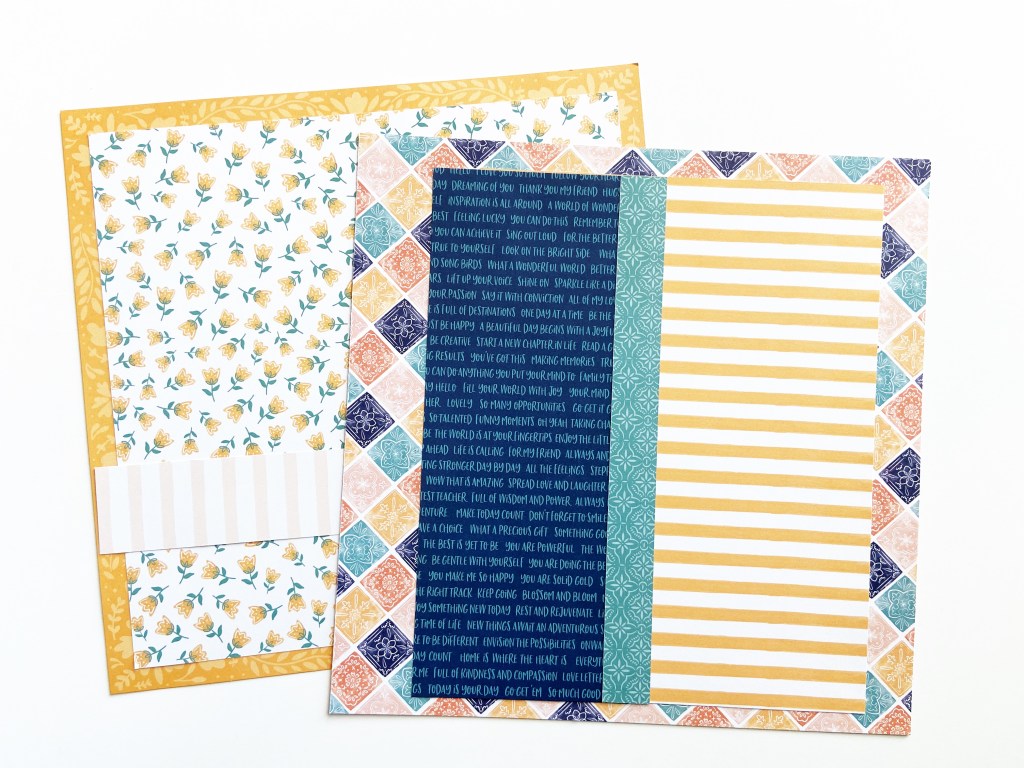
Deconstruct the Arcadia paper pad to create 10 scrapbook kits (3-4 pattern papers per kit).
Add embellishments from my stash to round out each kit.
Use the kits to create 10 layouts!
To see the prep process of this challenge, click HERE! I completed the entire process live on the Victoria Marie YouTube Channel.
The following week, I created all 10 layouts during my weekly livestream. In fact, it took me 3 hours to construct all 10 layouts! Not too shabby! To see the construction of all 10 layouts, click HERE!
After completing this challenge, I had a few scraps of paper left over from the Arcadia paper pad. So, I decided to make a few extra projects to include tags, cards, and more. And of course, I created all of these projects live on my YouTube Channel…click HERE to check it out!
Overall, I absolutely LOVED this entire experience – from deconstructing the Arcadia paper pad to making a bunch of layouts. But, what I love the most is that several members of our scrappy community were inspired to do this challenge as well! I love seeing all of your projects on Instagram and Facebook!
So, the questions remains…will I do this challenge again? You bet! In fact, I’m planning another challenge for October 2022 so stay tuned for more.
Meanwhile, the following are photos of all 10 layouts plus the bonus projects I created using the Arcadia paper pad. If you were inspired to create scrapbook projects based on this series, be sure to tag me on Instagram @victoriamariescraps or on Facebook!
The Projects
Layout #1: This Story – 12×12 inch Single Page
Layout #2: She is Lost In a Book – 12×12 inch Single Page
Layout #3: Lovely Day – 12×12 inch Single Page
Layout #4: You Make Today Better – 8.5×11 inch Single Page
Layout #5: Crafty Merch – 12×12 inch Single Page
Layout #6: Mom Life – 12×12 inch Single Page
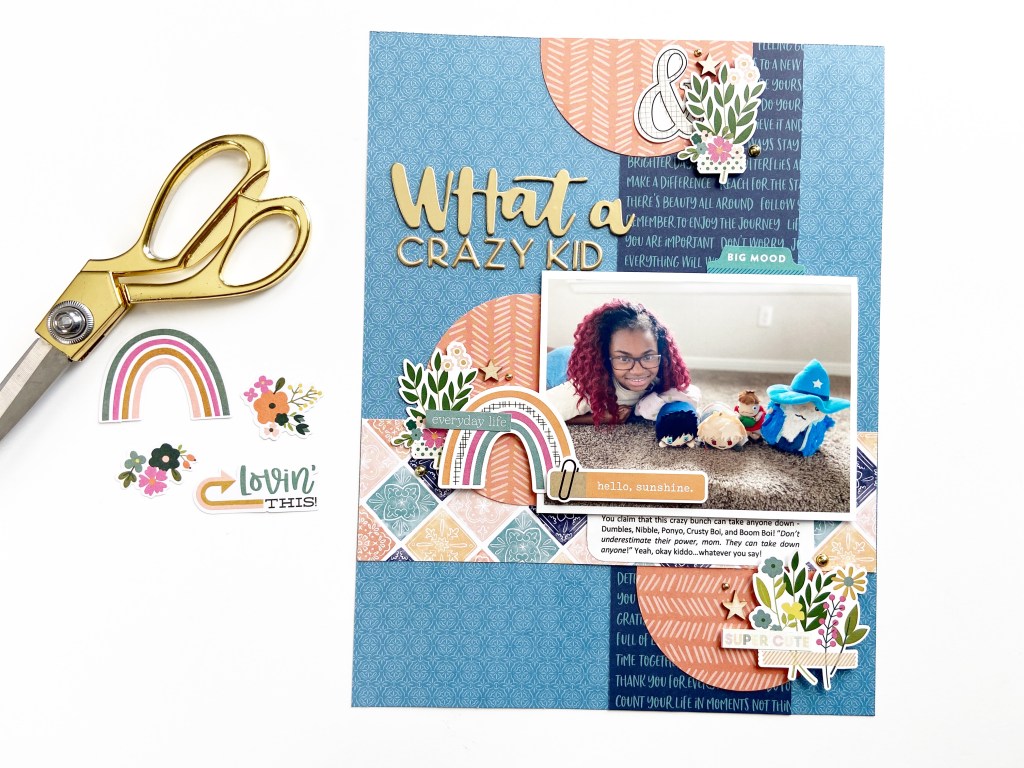
Layout #7: What a Crazy Kid – 8.5×11 inch Single Page
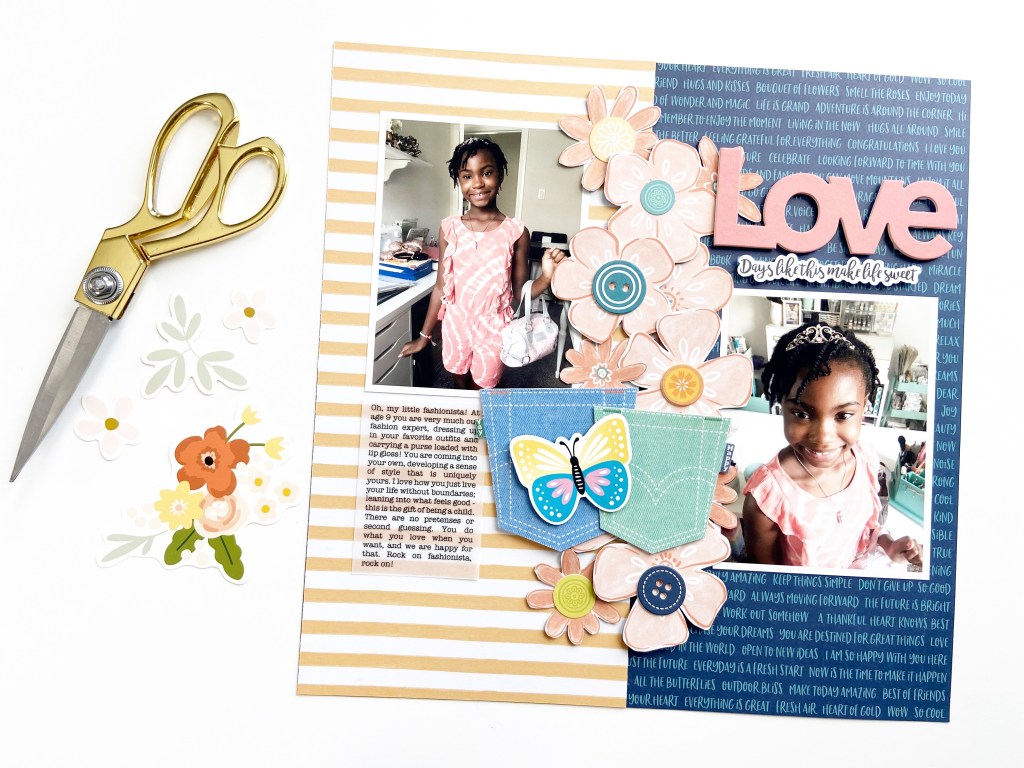
Layout #8: Love – 12×12 inch Single Page
Layout #9: Everyday Calvins – 12×12 inch Single Page
Layout #10: Sunshine Girl – 12×12 inch Single Page
Bonus Projects Using Scraps from the Arcadia Paper Pad
Projects: Frames, Tabs, Pockets, Embellishments
Projects: Cards (US A2 4.25 x 5.5 inch)
Projects: Tags
Projects: Pre-Made Scrapbook Backgrounds (12×12 inch Single Page)
NOTE: An affiliate link was provided in this post. This link is free for you to use. Victoria Marie Designs receives a small commission anytime affiliate links are used for purchases. Thanks for your support!
So, I’m changing the format of my Wednesday Livestreams!
But, before I tell you more about these changes, be sure to mark your calendars for this week’s Wednesday Live, starting at 2:00 pm CST! During tomorrow’s livestream, I will be using my Cricut to upload and cut electronic cut files.
As many of you know, I recently purchased a Cricut Explore Air 2 electronic cutting machine and I am slowly learning how to use it. The last Cricut I owned was the Cricut Personal Cutter that required cartridges. To be honest, while I enjoyed using the Cricut Personal Cutter, I found it difficult to figure out how to use some of the cartridge designs. Depending on the design, there were several elements to size and cut…it proved to be too much so I let my Cricut go.
Flash forward, after spending many years using a Silhouette Cameo electronic cutting machine, I decided to give Cricut another try; not because I need a new cutting machine…simply because the mint colored Cricut is pretty and I was curious about it’s functionality!
(All good reasons, right?)
Now, on to the changes…
I have been going live on the Victoria Marie YouTube Channel at least once per week (give or take a few weeks) for over 2 years. I amped up my livestreams in response to the pandemic as a way to connect with the Victoria Marie Scrap Boss Community.
During the livestreams, I typically create scrapbook layouts, which is fun. However, I’ve been challenging myself to try new techniques, products, and devices and thought it would be cool to share my learning and experimentation process.
So, during my upcoming Wednesday Livestream sessions, you will get to see me play and experiment in real-time! Personally, I love watching my favorite designers explore new concepts and techniques. I am interested in learning more about their creative processes and seeing them work through challenging design issues. If this is something that you enjoy, then joined me on Wednesdays as I play, explore, and tinker!
If you are not able to join me live, no worries! All of my livestreams are recorded and available for playback on the Victoria Marie YouTube Channel. Also, if you want to see my previous livestream sessions, check out my YouTube Livestream Playlist.
I hope you will join me on Wednesdays at 2:00 pm CST!
Hey friends! Join me LIVE today on the Victoria Marie YouTube Channel. During this week’s livestream, I will be working on a couple of layouts in my Hot Springs Vacation Mini Album.
The livestream starts at 2:00 pm CST every Friday! Be sure to subscribe to the Victoria Marie YouTube Channel, and when you do, click the bell icon, that way you will be notified each and every time I go LIVE on the channel. See you soon!











 victoriamarieblog.com