Scraptastic Kit Club – Cookie Thief

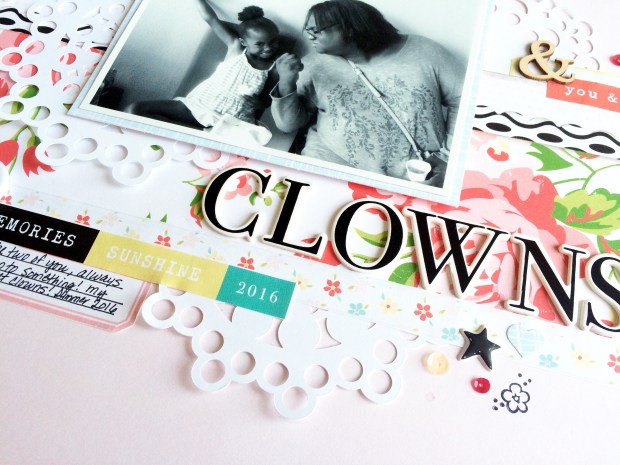
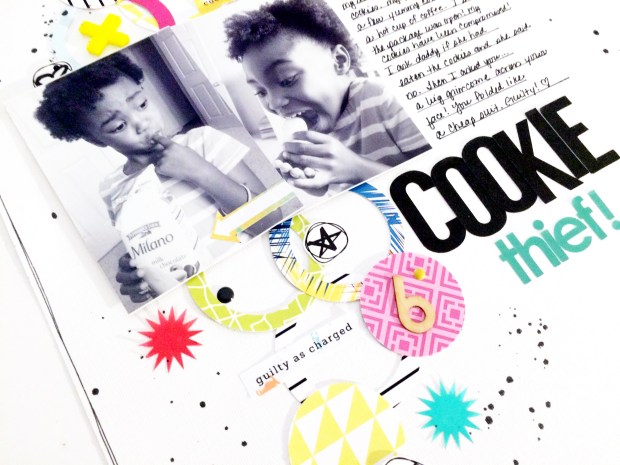
What do you do when a little six-year old eats your precious Milano cookies? You tickle them of course!
IMG_7021

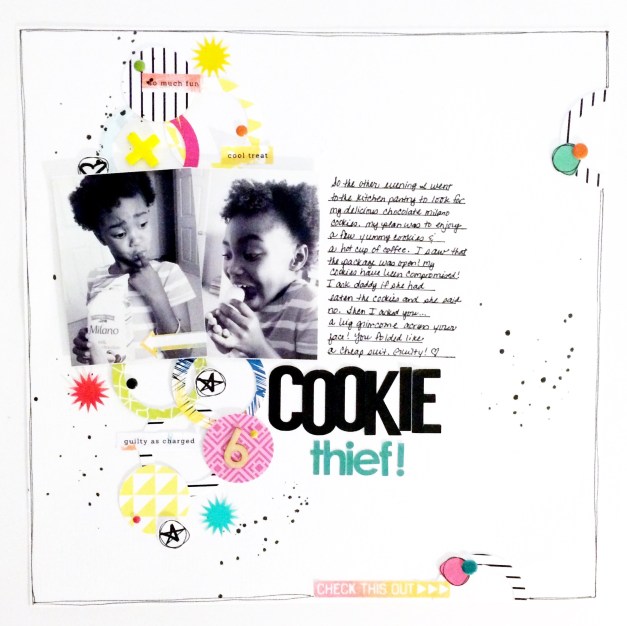
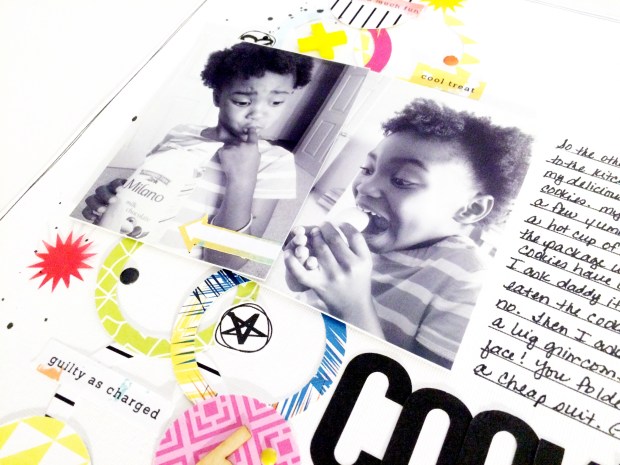
I was working late one night and decided to take a break and have snack. I went to the kitchen in search of my delicious Pepperidge Farm Milk Chocolate Milano cookies. Upon entering the pantry, I noticed an open package! My cookies had been compromised! At first I thought my spouse had eaten my cookies…nope not her. Well, there are only three of us in this family…it must have been my little moppet.

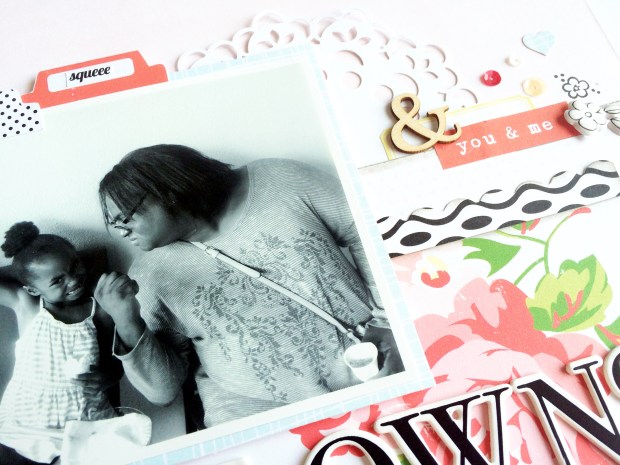
The following day, I asked my kiddo if she had eaten my cookies. She immediately smiled and folded like a cheap suit! Mystery solved, bring on the tickles and the kissy attack! Of course I had to take a picture of the “little suspect” for her 6-year old scrapbook album!
IMG_7019

For this layout I used two exclusive kits from the Scraptastic Kit Club – My, Myself, and I (July) and Sweet Jane (June). Sadly, this will be the last scrapbook layout that I make for Scraptastic as the owner is discontinuing her scrapbook kit subscriptions. However, Scraptastic will continue to offer their planner kits (POI) and pocket scrapbook kit (This Life Noted). I have agreed to stay on to work with the planner kits. 🙂 Look for more to come!  For details about these changes go to http://www.scraptasticclub.com. Scraptastic is clearing out their remaining kits at discounted prices so be sure to check that out as well.
IMG_7018

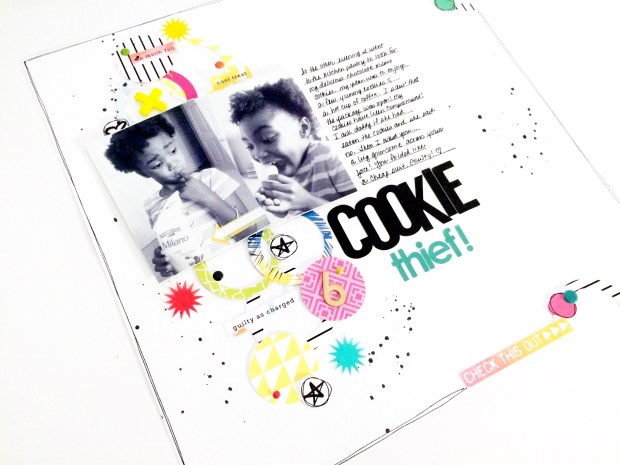
I wanted to create a light and whimsical layout.  I used 2 inch and 1-1/2 inch circle punches to cut circles out of several pattern papers from the kit and layered the circles behind my two photos. I embellished the layered circles with die cuts, stickers, and enamel dots. To the bottom and top right of the layout I added two more circles for interest. I used an exclusive sticker font set to create the title and finished everything with Heidi Swapp Color Shine in Black Velvet.
IMG_7020

This was such a fun layout to make! Check out the process video on my YouTube channel! Enjoy!
The Cut File Challenge – Week 4 Daniela Dobson

IMG_2743

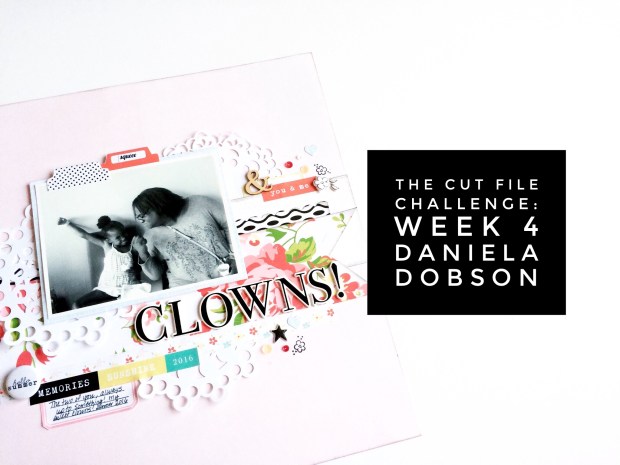
Welcome to week 4 of The Cut File Challenge! I am so excited to share with you an amazing cut file from my friend and Scraptastic design team buddy, Daniela Dobson! When Daniela heard that I was hosting this challenge on my YouTube Channel, she offered to create a cut file just for my subscribers. Daniela is amazingly talented and has been a creative dynamo in the scrapbooking industry for over 15 years. Check out her lengthy creative resume! Additionally, Daniela offers free cut files on her blog.

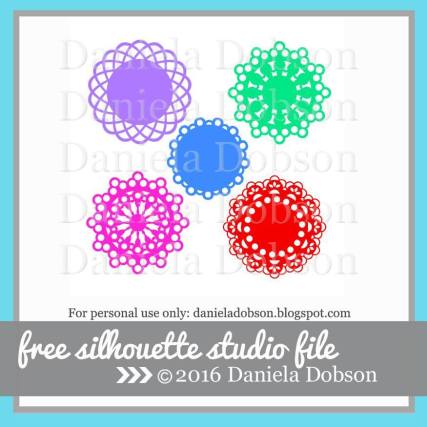
Here is the Silhouette cut file that Daniela created:

13934770_10209010006061280_7108918869341202203_n

To get this FREE cut file, click HERE.

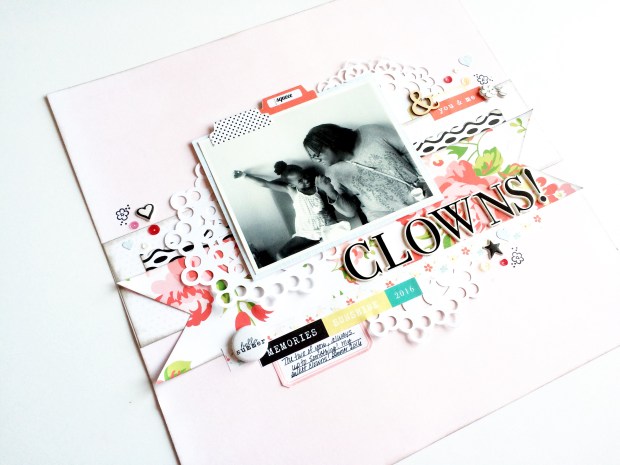
And here’s my layout using the cut file. You can also check out Daniela’s layout on her blog. IMG_6920

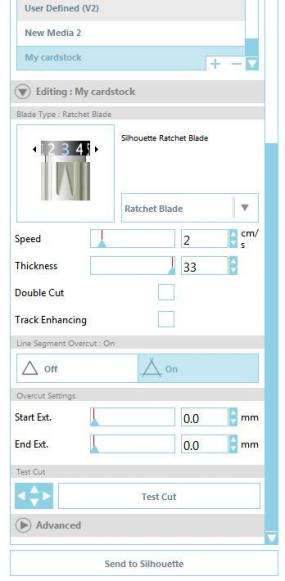
These doilies are amazing! There are five doilies in this set and they are formatted to cut. All you have to do is import the cut files into the Silhouette Studio, resize the image for your desired design, and cut. This is a very intricate cut file so Daniela provided a few tips on cutting these doilies:

Be sure to…

  1. Set the Ratchet Blade to “2” and the Thickness to 33.
  2. Next, under Line Segment Overcut, select “ON”.
  3. Now you are ready to cut your file!

13886256_10209003384575747_9083736909830372311_n

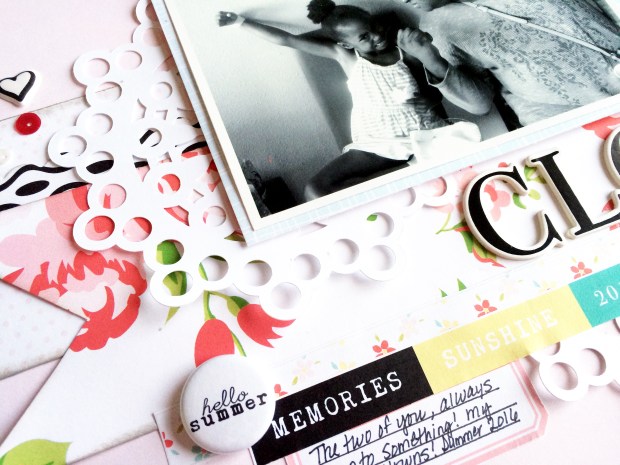
For this layout I used leftover goodies from the Felicity Jane Happy Day and Next Stop kits. I wanted all of the layering to be focused in the center of the layout with the doilies framing the photo.

IMG_6919

IMG_6917

After positioning the layers of pattern paper strips and doilies, I embellished this layout with stickers, flare, sequin, and wood veneer.

IMG_6921

I absolutely love this cut file because I can use it multiple times whenever I need a doily, or two, or three… :).

IMG_6920

I hope you are playing along with this challenge! Be sure to check out the process video for this layout and don’t forget to stop by Daniela’s blog!

Happy scrappin’!

Product Review: Michaels Recollections Traveler’s Notebook

IMG_2728

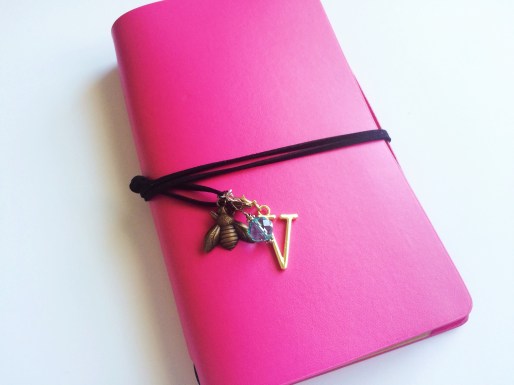
Hello friends! I am back with a quick product review of the Michaels Recollections Traveler’s Notebook. I am completely late to the party with regard to traveler’s notebooks! After seeing so many gorgeous photos of traveler’s journals on Instagram, I had to give this a try. I purchased this pink notebook at my local Michaels store about a week ago…on sale…for only $5.00!!! Wowza!

IMG_2724

For those who are not familiar, a traveler’s journal (or notebook) is a simple notebook with a leather cover, used to jot down notes, ideas, quotes, discoveries, details from one’s travels, etc. Traveler’s notebooks have been around for decades! A popular brand, the Midori Traveler’s Journal, has taken off like wildfire! Notebook enthusiasts are using these journals for a variety of reasons to include planning, memory keeping, and art journaling, just to name a few.  I plan to use my notebook to jot down my business ideas, random thoughts and musings, and for memory keeping.

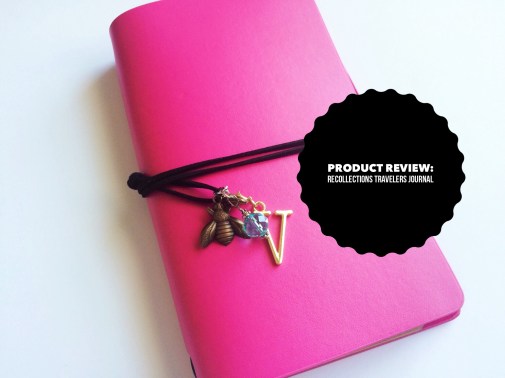
Here’s the cover of my notebook – it’s a faux leather cover lined with thin felt material. This journal comes in several colors but at the time I purchased my journal, the only colors that were left were pink and cream. The cool thing about traveler’s notebooks is that over time, the covers will look worn…and that is exactly the purpose!

IMG_2725

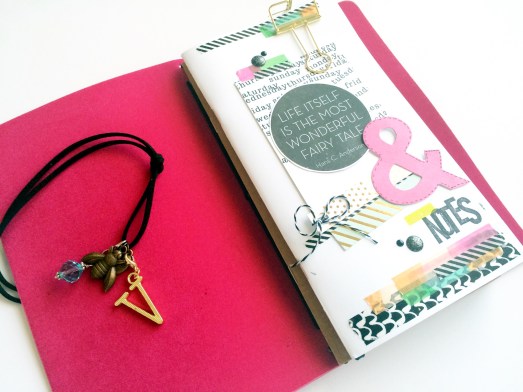
This journal comes with two inserts – one is white and the other is craft, a black string, and a bumble bee charm. I purchased additional charms from the jewelry section at Michaels – I wanted to add more flare to my cover!

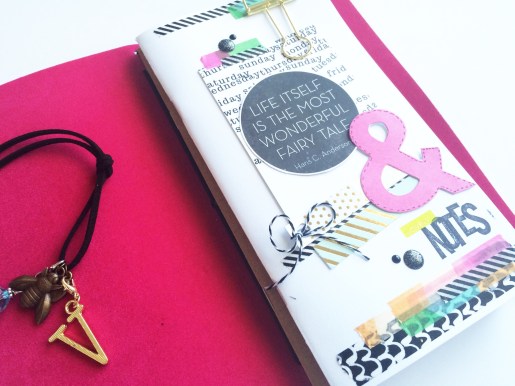
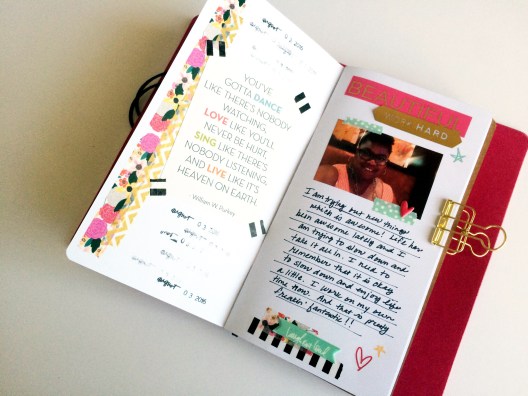
I thought a good place to start was to decorate the cover of the white insert. I used a number of items from my stash – two pocket scrapbook cards, washi tape, enamels dots, stickers, font stamps by Amy Tangerine, and a roller date stamp by Heidi Swapp. I didn’t have a plan for the design of my cover or my first page. I just went with the flow and experimented. I like the results!

IMG_2727

IMG_2726

I am so excited that I finally gave this a try! I look forward to filling my journal with tons of random and fun things!

Check out the product review video for this journal on the Victoria Marie YouTube Channel! Thanks for stopping by!

The Cut File Challenge Week 3: 17turles

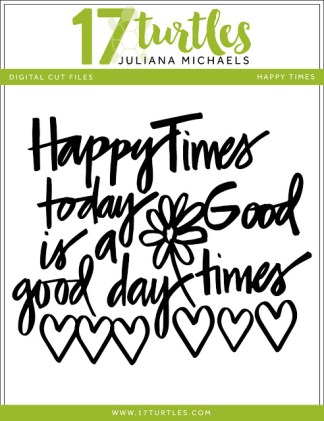
Hello everyone! Are you ready for another fun cut file? I am so excited to share this cool cut file with you from 17turtles called Happy Times.

Happy_Times_Juliana_Michaels

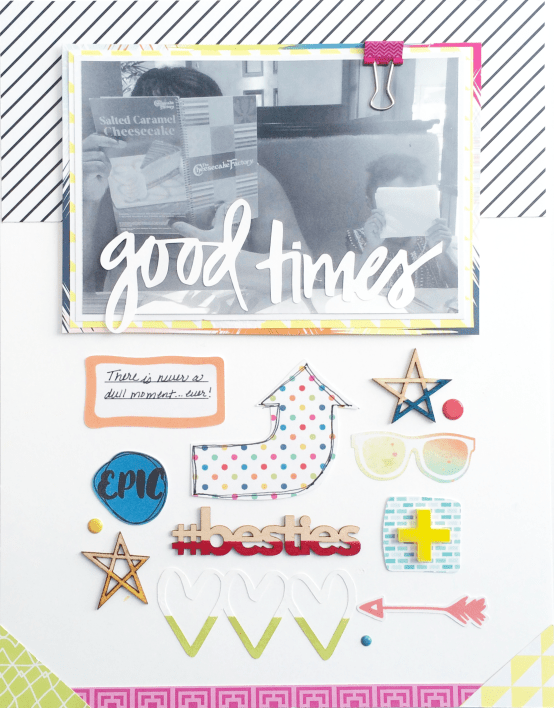
Isn’t this awesome!!! The cut file was designed by Juliana Michaels, owner of 17turtles. Juliana is widely known in the scrapbooking industry and offers FREE digital cut files on her website. Here’s how I used this week’s cut file.

I love using cut file phrases for titles!

IMG_6616

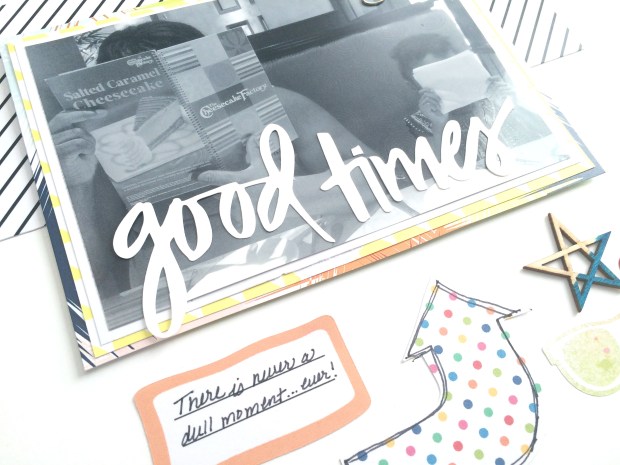
This is a photo of my spouse and our daughter during yet another one of my picture taking attempts. They think it is so funny to cover their faces when I am trying to take a quick picture of them. There is never a dull moment with these two!

IMG_6620

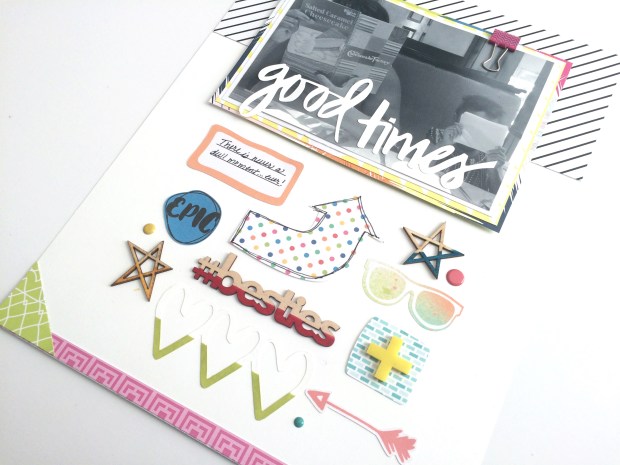
I cut this file on a sheet of Neenah Bright White cardstock. I only wanted to use the phrase “Good Times” and the heart trio that is positioned at the bottom of the layout. I created a dipped effect on the heart trio by using Dew Drops Fade Resistant Die Ink (Pear Tart); masking the image with washi tape then applying the ink at the bottom of the hearts. I did the same technique on the wood veneer stars (Dandelion and Bahama Blue) and the phrase “#besties” (Rose Bud).

IMG_6617

I layered the titled over the photo. I was careful not to cover the main focal point. I like how the title pops out and draws the eye to the picture!

IMG_6619

I used exclusive papers and embellishments from the Sweet Jane and Me, Myself, and I kits by Scraptastic Kit Club. Both of these kits are summer inspired with bright bold colors and fun accents! I also used a few items from my stash such as the pink clip on the top right side of the photo, the star wood veneers, and the acrylic plus sign.

Okay folks, I hope you enjoy this week’s cut file! And I hope you are playing along with this challenge! Be sure to check out 17turtles for more FREE cut files! Here’s the process video for your viewing pleasure!!! Happy scrappin’!

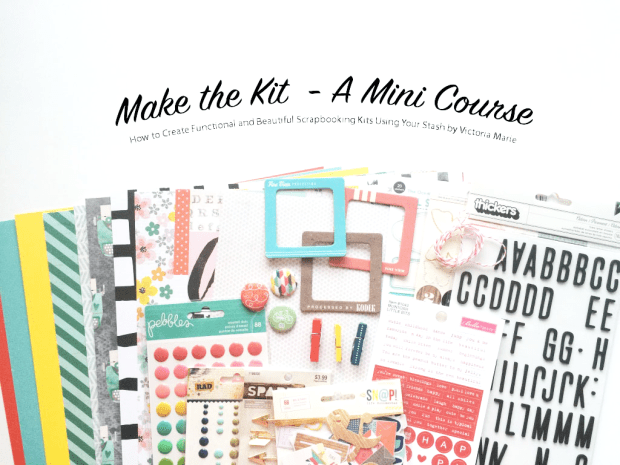
New Class! Make the Kit – A Mini Course!

Hello Scrappy Friends! I am so excited to announce my new class, Make the Kit – A Mini Course!

Make the Kit Intro

This is a self-paced course that will inspire you to use your stash to make functional and beautiful scrapbooking kits.

The course will begin with a brief overview that will cover general information about scrapbooking kits, how to shop your stash for items to include in your kit, how to make, organize, and store your kit, and tips on how to use your kit.

This course will be available starting AUGUST 19, 2016!

The course includes:

  • 4 Lessons with Instructional Videos and full color PDF Study Guides
  • 5 Exclusive Process Videos that will inspire you!
  • A Tour of Victoria Marie’s Scrappy Stash! See what Victoria Marie uses to make awesome scrapbooking kits!
  • Full Color PDF of the layouts completed in this course
  • Full Color PDF Make the Kit Planning Worksheet
  • Access to the private Make the Kit Facebook Group!

Starting August 19th – August 26th, you can purchase the course for only $10.00!

After August 26th, the course will go to regular price at $12.00.

Be sure to subscribe to the Victoria Marie Blog for updates about current and upcoming classes! I look forward to seeing you in the classroom!

Week 2: The Cut File Challenge – The Cut Shop

Welcome to Week 2 of The Cut File Challenge!!!! This week I am using an awesome cut file from the incredible Ashley Horton, Owner and Designer at The Cut Shoppe. I LOVE Ashely’s cut files and was so excited to spend a bit of time on her Etsy shop. Here is one of the cut files that I purchased called Starburst!

il_570xN.1047173171_7bnc

And here’s how I used this cut file…

IMG_6325

Isn’t this an awesome cut file!? For this layout I used several items from an older Heidi Swapp collection.

IMG_6326

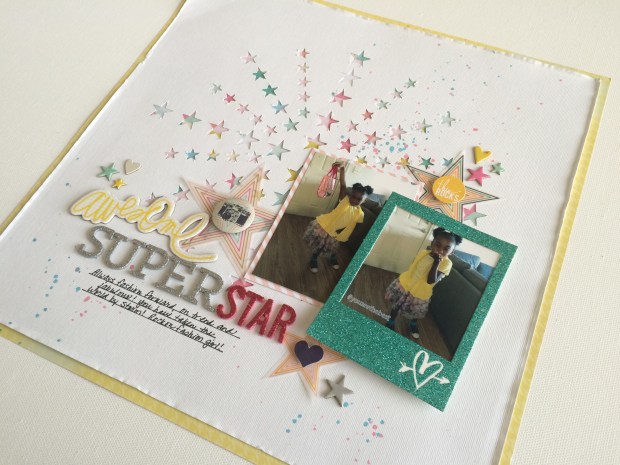
I cut this design using my Silhouette Cameo. I wanted the starburst to radiate from the center of the layout so I positioned the design to cut in the middle of background paper. Next,  I backed the cut image with brightly colored patterned paper. I love how all of the colors peep through the stars! An alternative to this is to overlay this cut design over velum, glitter paper, or a watercolor background, or use this cut file as a stencil.

IMG_6324

I wanted to make sure that I didn’t cover up too much of the starburst so I positioned the photos toward the bottom right of the cut file.

IMG_6323

I finished the layout by creating clusters of velum and chipboard stars and hearts around the photos. I used the chipboard phrase “awesome” along with two Heidi Swapp foam sticker fonts to create the title “Awesome Superstar”.  Lastly, I backed the entire layout on yellow patterned card stock to add just a bit more interest.

This was a really fun cut file to use! I will warn you…those little stars can be a bit tricky to remove so I recommend using the double cut feature on your die cutting machine.

Check out the process video for this layout on my YouTube Channel! And don’t forget to stop by The Cut Shoppe and check out of the beautiful cut file designs by Ashley Horton!

I will see you next week with cut file #3!!!


16 Days

There was once a time when my spouse and I talked about the day when our little one would start kindergarten. At that time it seemed so far away. Then the day came – uniforms, backpack, lunch box…and off she went.

Sadly, her first year of primary school came and went. Yes, I am a dramatic mama!

Toward the end of the school year, with only 16 more days left, I decided to take a few pictures of our typical morning routine. I captured this picture as we walked to our car one morning on the way to school.

IMG_6319

She was still so little, yet so big. She had learned a ton of new and cool things. And there she was, an experienced kinder kid, preparing for the next step in her educational journey.

Time needs to slow down…just a bit.

IMG_6317

For this layout, I used two exclusive kits from Felicity Jane, Happy Day and Next Stop. The photo was the focal point for this layout, highlighted by layers of flowers, tags, and ephemera. The colors are so crisp and clean – I love it when a layout comes together!

IMG_6315 copy

And here’s the process video for this layout! Enjoy!

In the Pocket – “Hello Barbie

I love pocket scrapbooking! I like to mix my traditional layouts with pocket scrapbook pages – I feel that is adds a bit of interest to my scrapbooks. Here’s my latest pocket layout using a Becky Higgins Project Life page protector (Design A):

IMG_6297

So my little one has recently taken an interest in playing with Barbie dolls. Her collection of Barbie dolls has increased and now she is asking for a Barbie Dream House and such! I can’t blame her! I loved Barbies as a kid. My spouse took her to the Matel Warehouse that’s just minutes away from where we live and together they bought a couple of new dolls, outfits, and a Barbie hair salon that actually sprays real water and comes with a glitter brush.

Oh joy. 😦

Of course I had to document this moment in her life for her six-year-old album. Her interests are changing so much these days. She seems to love everything: super heroes, comic books, fashion, singing and dancing, science and math! My spouse and I love it!

IMG_6305 copy

For this layout I used two exclusive kits from Felicity Jane, Happy Day and Next Stop. I like to keep my pocket layouts simple and focused on the story.  The colors came together seamlessly – I love how the black and white elements compliment the reds, blues, yellows, and pinks in the papers and embellishments.

IMG_6299

I added sequins and velum flowers to one of the pockets for interest and whimsy. 🙂

IMG_6300

IMG_6296

I really love how this came out! Check out the process video for this layout on my YouTube Channel! Enjoy!

Week #1 The Cut File Challenge – Felicity Jane

Welcome to Week #1 of The Cut File Challenge! This week I used the Heart Cluster cut file from Felicity Jane. You can find this cut file HERE.

Picture1

Felicity Jane cut files can be found on the Silhouette Design Store website. I am not certain if these cut files are compatible with any other electronic die cutting machine besides the Silhouette brand of machines so be sure to check it out before purchasing.

I recently subscribed to Felicity Jane and I was so excited that they offer cut files as well! I purchased the Heart Cluster cut file for only $0.99. Cut files are generally affordable and the design options are endless!

Here’s how I used this cut file:

Cut File Challenge WK1P1

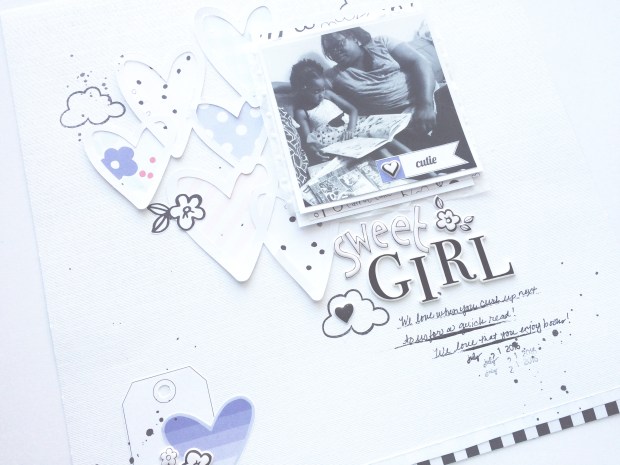
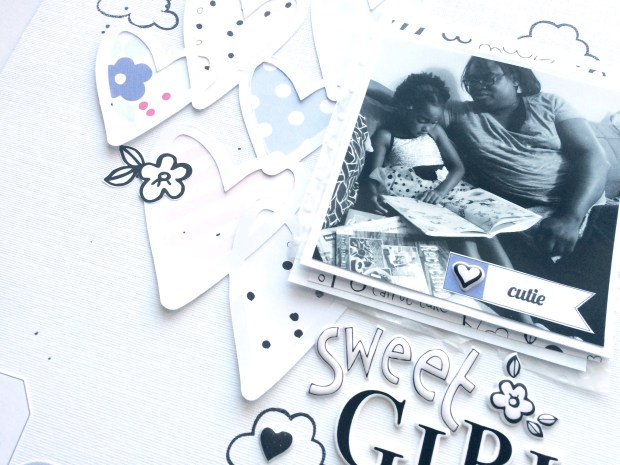
For this layout I am using the exclusive Happy Day Kit designed by my scrappy buddy Suze Fish for Felicity Jane. This kit contains the most gorgeous colors and icons! Featured in this layout is our the loves of my life, partaking in a little afternoon story time. My little one loves to read, especially chapter books about Barbie!

I decided to back with cut file with patterned papers from the kit. My plan was to keep everything light and airy. Once this was done I added the title, stamping, and a few embellishments. I love using cut files because most of the work is done for you!

IMG_6225

Be sure to stop by the Silhouette store and check out this and other cut files by Felicity Jane. I will see you next Friday for Week 2 of The Cut File Challenge!

View the process video for this layout HERE!

IMG_6226

Happy scrappin’!

New Series: The Cut File Challenge!

Here’s the challenge…if you chose to accept it!

Many scrappers have awesome electronic die cutting machines just hanging around…possibly collecting dust. Well, not anymore my friends! Are you ready for…

THE CUT FILE CHALLENGE!

13782107_1833983643491153_6826563210259525306_n

For the next 10-weeks I am going to post a process video every Friday featuring cut files that I purchase from some of my favorite shops. I will use these cut files in a creative way on a scrapbook layout. And don’t worry, I will post links to the shops where I purchase these cut files in the description section of each process video!

This challenge is designed to inspire you to use your die cutting machines and to be creative. Why waste money on scrappy tools if we don’t use them!

At the end of this 10-week series, I will conduct a drawing for an awesome mystery prize! All you have to do is leave a comment in the “comment section”on any of the videos in the series. At the end of the series, I will pick a lucky winner.

Meanwhile, bust out your die cutting machines and play along! This is going to be so much fun!

The first video in this series will be posted tomorrow, Friday, July 22nd! I hope you play along with me!

Happy cut filing!!!!