Let’s Connect! Victoria Marie Scrap Boss Virtual Crop!

Hey Scrap Bosses!

As you all know, the world has been rocked by the Coronavirus (COVID-19). Many towns and cities all over the world have issued quarantine orders or citizens are voluntarily practicing social distancing with the goal of reducing the spread of COVID-19. It is easy to get bogged down with daily reports of this virus and it’s social and economic impact on individuals and our communities.

My heart goes out to those who have lost loved ones to this virus, to those who are currently being treated by medical professionals, to those who are on the front lines of this virus, and to everyone who has been adversely affected (i.e. laid off from work, etc.). We are all at risk and it is so important that we continue to stay informed, consume information from reputable sources, and practice social distancing.

While we are in the midst of battling this virus, it can be easy to feel anxious, nervous, and scared. There is so much uncertainty and it is important to take a break from the news and to engage in healthy activities, to relax, and to remain as calm as possible. With that being said, I truly believe that there is power in engaging in creative hobbies – from music, to crafting, drawing, or simply coloring. And it’s also important to connect with others.

So, grab your scrappy supplies and photos, and let’s have an online scrapbooking crop!

VICTORIA MARIE SCRAP BOSS ONLINE CROP

Starts: Wednesday, March 18th – Sunday, March 22nd

Includes: Daily ONLINE challenges, prizes, games, and lots of fun and interaction with your fellow scrappy peeps!

Challenge Projects are Due: March 31, 2020 at 11:59 pm CST

Prize Winners will be Announced: April 3, 2020

Online Crop Held: Victoria Marie Facebook Group – Click HERE to join!

DETAILS

  • The Victoria Marie Online Crop will be held in the Victoria Marie Facebook Group. To play along, be sure to join the group!
  • There will be one challenge per day, starting on Wednesday, March 18th – Sunday, March 22nd.
  • The daily challenges will be posted at 10:00 am CST (Central Standard Time). There will also be bonus challenges, interactive games and polls through out the event!
  • All challenge posts will be organized as “albums” in the Victoria Marie Facebook Group. There will be an album for each challenge. Instructions for accessing the albums and posting your projects can be found HERE.
  • Participants will be notified when the challenges are posted to the Victoria Marie Facebook Group.
  • When you are ready to play along, simply select the challenge of your choice and make the corresponding project based on the challenge requirements.
  • The challenge posts will remain indefinitely on the Victoria Marie Facebook Group Page. It is NOT necessary for you to be online at the exact time when the challenges are posted. Just dive in when you have a chance.
  • When you complete a challenge, be sure to post a photo of your completed project in the comments section of the challenge post in order to be eligible to win a prize.
  • You will have until March 31, 2020 at 11:59 pm CST to complete the challenges. There will be a prize for each challenge. Complete 1, 2, or all of the challenges – that’s up to you! Also, you can post more than 1 project for each challenge, but you must post at least one (1) project in order to be eligible to win a prize.
  • Winners will be selected using http://www.Random.org and announced on Friday, April 3rd on the Victoria Marie Facebook Page!

CHALLENGES

Download and print the Scrap Boss Online Crop Schedule and Challenge Descriptions HERE! This document contains the details for each challenge along with directions for accessing the challenge posts and how to submit your projects. All challenges will be posted by 10:00 am CST on the Victoria Marie Facebook Group!

  • Wednesday, March 18th – Kit It Up Challenge
  • Thursday, March 19th – Game of Die Cuts Challenge
  • Friday, March 20th – Back in the Day Challenge
  • Saturday, March 21st – Scrap Attack Challenge
  • Sunday, March 22nd – Technique Madness Challenge

Join Me LIVE on the Victoria Marie Facebook Group! During this event, I will be popping in LIVE on the Victoria Marie Facebook Group to say hello and to share some of my favorite scrapbooking techniques, tips, and ideas. There may also be a couple of bonus challenges and prizes! Woo hoo!

Remember, you can play along whenever you want throughout this event. All challenge projects are due on March 31, 2020 by 11:59 pm CST!

There is UNITY in COMMUNITY friends! Let’s have fun and make pretty things! The first challenge will be posted tomorrow at 10:00 am CST – be sure to join the Victoria Marie Facebook Group to play along!

See you then!
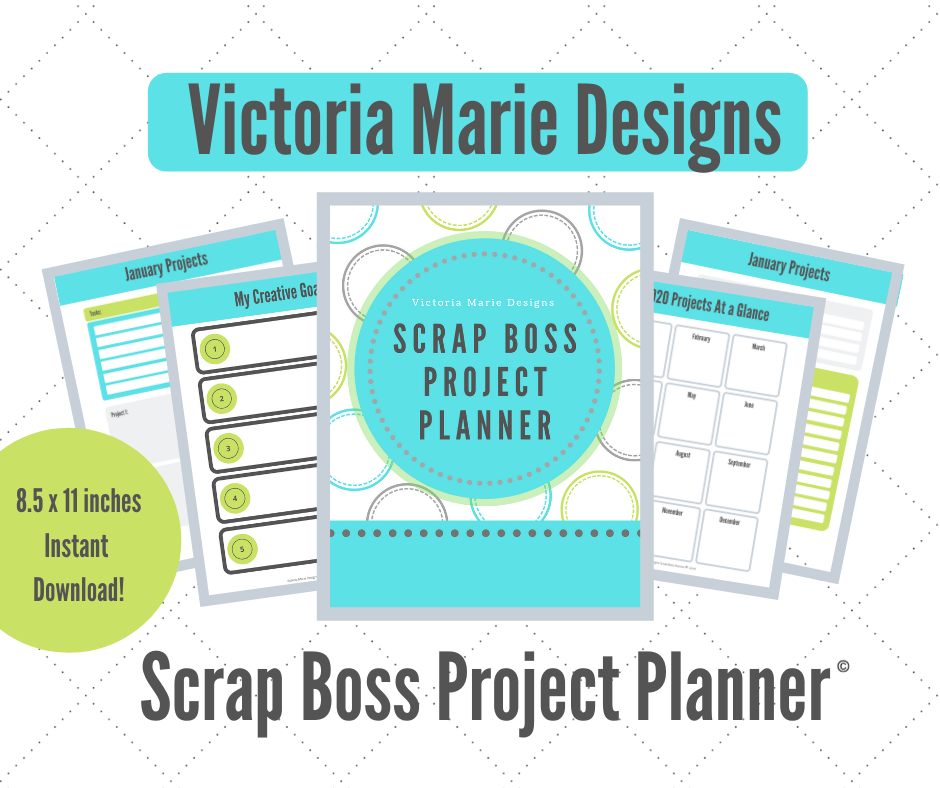
Now Available! Victoria Marie Designs Scrap Boss Project Planner!

Hooray! It’s launch day!

The Victoria Marie Scrap Boss Project Planner is now available in the Victoria Marie Shop!

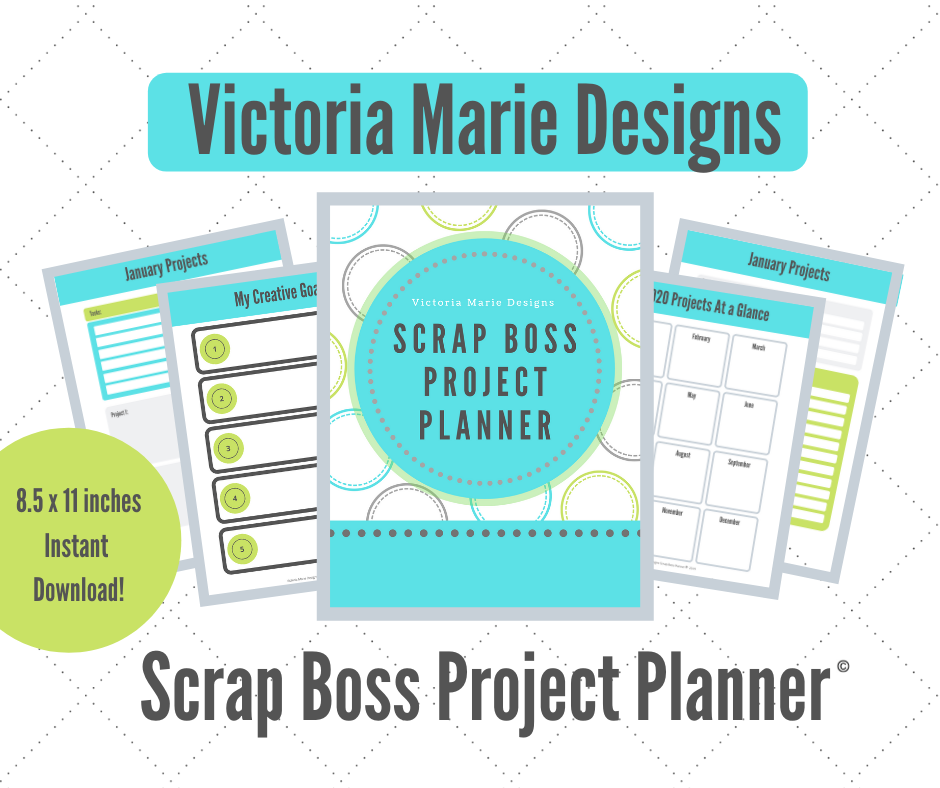
The Scrap Boss Project Planner retails for $19.99 (USD) and is available for INSTANT download after purchase. This 8.5 x 11 inch PDF planner can be printed using your home printer or by your local print shop.

Included with the Scrap Boss Project Planner PDF is a How To Guide that will explain the features of this product and tips for printing the planner.


SEE THE SCRAP BOSS PROJECT PLANNER IN ACTION!

Click on the following video to see a quick overview of the Scrap Boss Project Planner, available on the Victoria Marie YouTube Channel!


GRAB THE SCRAP BOSS PROJECT PLANNER TODAY!

To purchase the Scrap Boss Project Planner, click HERE or select the SHOP page in the menu bar above.

I am so excited to share this product with you! Thank you so much for your support. Enjoy!

Launching Tomorrow – The Scrap Boss Project Planner!

The Victoria Marie Scrap Boss Project Planner is just a day away from launching and I couldn’t be more excited! If you haven’t heard about this awesome new product coming to the Victoria Marie Shop on March 6th, click HERE!

So far, I have shared some of the features of the Scrap Boss Project Planner. Now, I want to share how I will use this planner to design, plan, and organize my scrapbooking projects!

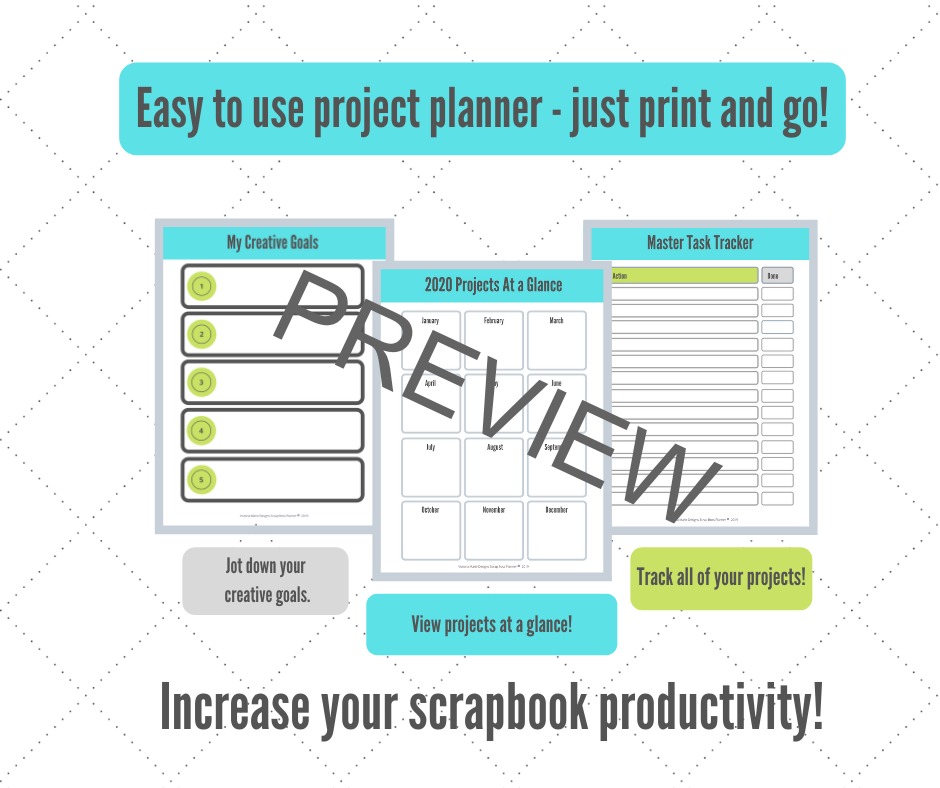
The Scrap Boss Project Planner features a variety of fun spreads that will make the practice of planning scrapbook projects a breeze! One of the major features of this planner is the Monthly Project Planning spread.

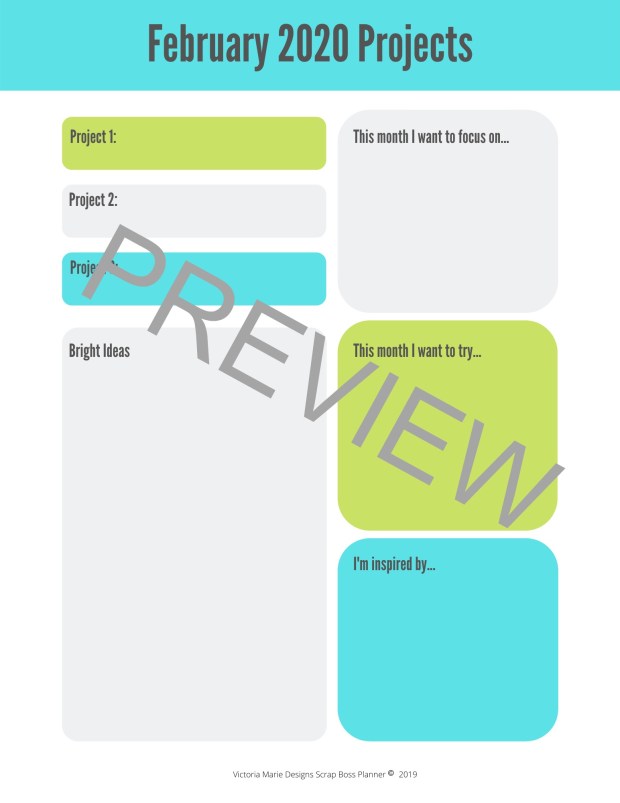
Using this multipage spread, I can breakdown my scrapbooking projects by month, sketch layout designs, make product lists, jot down ideas, tools, and creative techniques I want to try, and much more. I will refer to my project planner as I work through my creative projects each month.

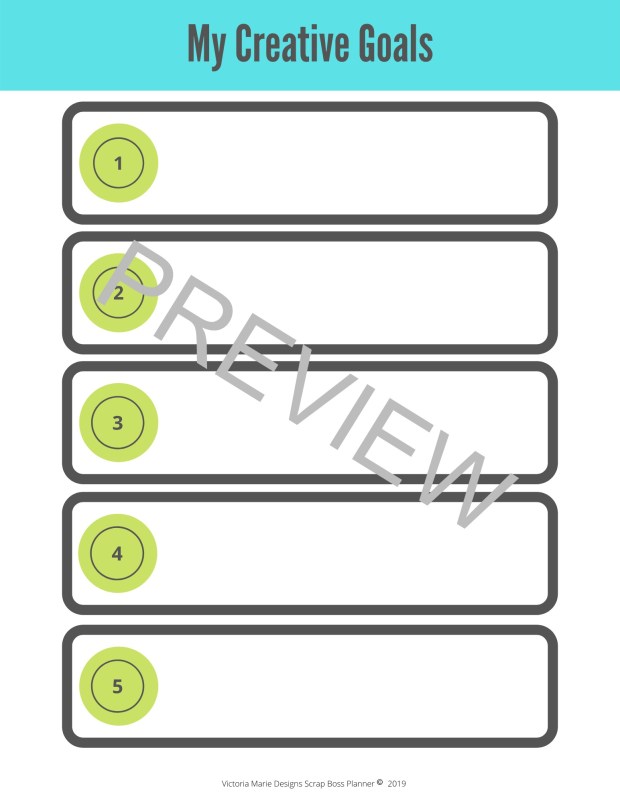
Also, using the My Creative Goals page, I can list all of my priority projects, then breakdown tasks related to my goals using the Master Task Tracker.

Not only is the Scrap Boss Project Planner flexible and easy to use, it is portable! I can take this planner with me to the coffee shop for a quick project planning session, to crops and retreats, and keep it by my craft desk for quick referencing.

Be sure to stop by the Victoria Marie Shop starting March 6th and grab the Scrap Boss Project Planner! This planner is a fantastic tool to help you design and manage your scrapbook projects!

What is the Scrap Boss Project Planner?

Hey Scrap Bosses!

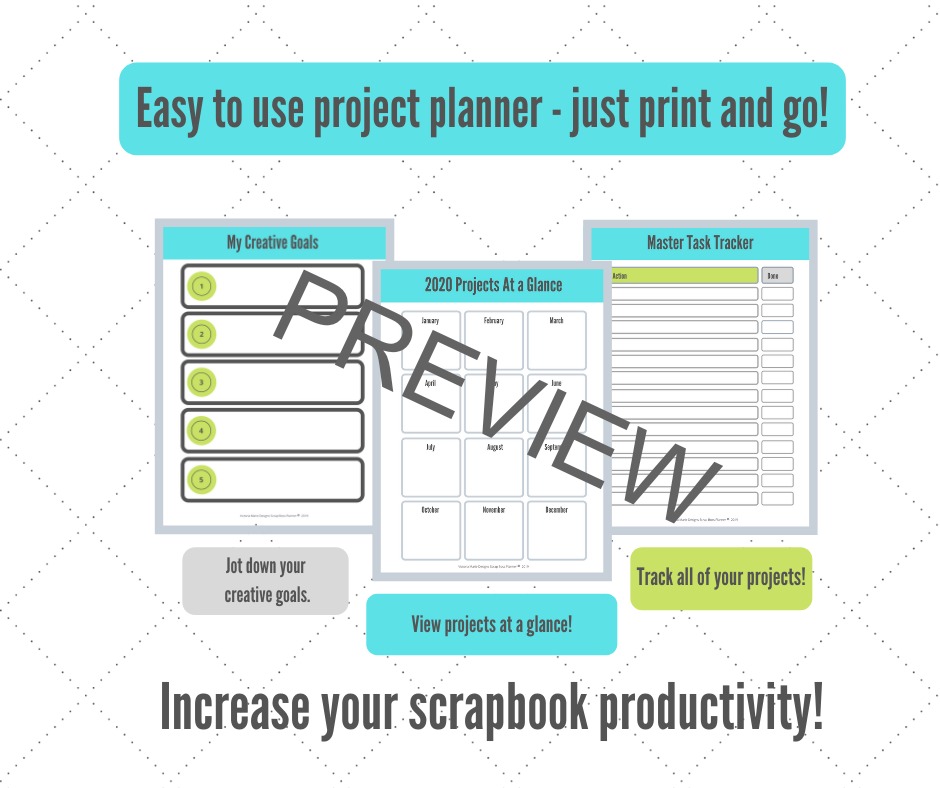
Last week I shared that an exciting new product coming to the Victoria Marie Shop on Friday, March 6th – the Scrap Boss Project Planner©! This planner was designed to help scrapbookers organize their scrapbook projects on a monthly basis, set creative goals, design layouts, and manage project tasks.

I truly believe in systems, processes, lists, and planners. After many years of feeling overwhelmed by the number of scrapbooking projects I wanted to complete, I knew that I needed a planner to help me get all of my creative ducks in a row! So, I created the Scrap Boss Project Planner!

The Scrap Boss Project Planner includes:

My Creative Goals: A space to list your top creative goals for the year. Focus on making your scrappy goals smart and doable!

Projects at a Glance: A page to plan scrapbooking projects over a 12-month period.

Master Tracker: The Master Tracker helps to keep all of your creative tasks organized on one list! Prioritize the most important tasks (i.e. organizing scrapbook albums, printing photos, or purge your scrappy space) and get it done!

Photo Batch Printing Checklist: A great tool to keep track of photos that the need to be printed for scrapbooking, stored in a photo album, or organized in cold storage.

Plan your scrapbooking projects with Monthly Planning Pages! Make a list of the projects you want to focus on, the supplies needed, jot down a few creative ideas and more!

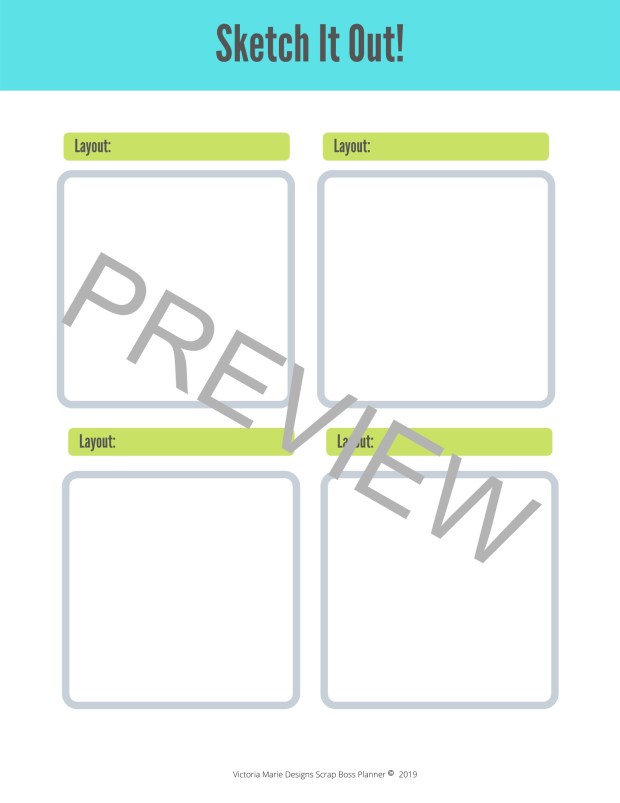
Keep track of your the monthly events, holidays, milestones, and important stories using the undated Calendar spread. Also, sketch out your layout designs using the Sketch It Out! spread – there are two for each month.

The Scrap Boss Project Planner is very flexible – use it to plan scrapbooking projects for both older and current stories, keep track of all your project supplies, sketch out your layout designs, and much more!

This planner is available as an 8.5 x 11 inch downloadable PDF, formatted to print at home or at your local print shop. Once printed, you can use a variety of binding systems – for example, spiral, disk bound, or a 3-ring binder!

Are you getting excited? I hope so!

Stay tuned…I will be sharing a quick Scrap Boss Project Planner tutorial this week on the Victoria Marie YouTube Channel and Blog!

SAVE THE DATE! This planner will be available for sale on March 6, 2020 in the Victoria Marie Shop!

Layout Share – January/February 2020

Hey Scrap Bosses!

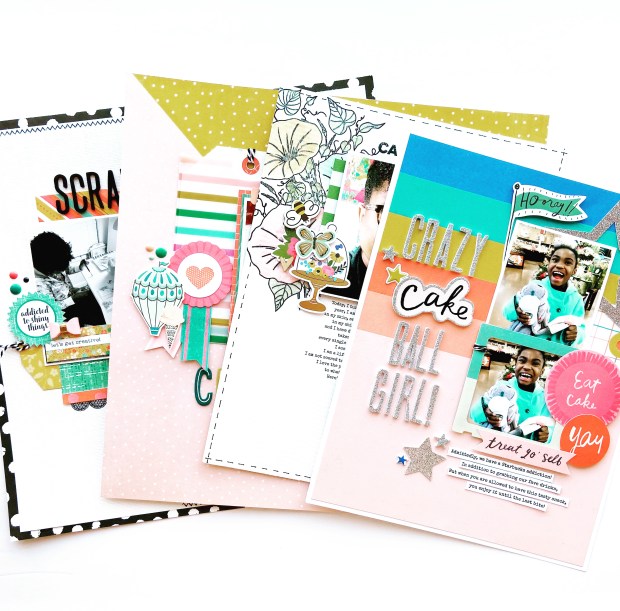
Do you like layout shares? If you just yelled “YES”, then head on over to the Victoria Marie YouTube Channel to check out my latest layout share video featuring projects I completed in January – February 2020.

This layout share includes 8.5 x 11 inch and 12 x 12 inch layouts, all featuring products from my stash!

Click on the video below to check it out! Thanks for stopping by!

Coming March 6th – The Scrap Boss Project Planner!

Hey Scrap Bosses!

I am so excited to announce the launch of my very first printable product, the Victoria Marie Designs Scrap Boss Project Planner! This planner will be available in the Victoria Marie Designs Shop on Friday, March 6th as an INSTANT downloadable PDF!

Over the years, I have used a variety of planning systems to organize my scrapbook projects: drafts of layouts on post-it-notes, notebooks filled with sketches and ideas, Excel spreadsheets to organize my photo printing process, just to name a few.

Recently, I began to feel a bit disorganized and a little stressed seeing all of my incomplete projects piling up. I needed to create one system for managing all of my projects on a monthly basis.

After brainstorming a few ideas, I reached for my sketch pad and drafted the Scrap Boss Project Planner, a complete project planning tool for designing and managing scrapbooking projects!

Finally…the solution to my scrapbook project disorganization!

Over the next few days, I will be sharing more details about the features of this planner. This product will be available on Friday, March 6th. Be sure to subscribe to the Victoria Marie Blog and the Victoria Marie eNewsletter for the latest information and updates.

More to come, stay tuned!

Great Deal! Epson Picture Mate Charm – On Sale for $149.00!

Hey Scrap Bosses!

I had to stop everything I was doing tonight to tell you about an awesome Amazon sale, going on right now.

If you have been in the market for a photo printer, check out the Epson Picture Mate Charm! I have been waiting for this printer to go on sale for MONTHS and after seeing it in action at a recent Victoria Marie Scrapbook Retreat, I had to grab it!

The current sales price is $149.00. The regular price for this printer is $249.99! This is a fantastic deal!

To learn more and to purchase, click on the links below*. NOTE: Both new and refurbished models are on sale. Be sure to select new or used BEFORE you check out.

Stay tuned for my full product review, coming soon on the Victoria Marie YouTube Channel and Blog!

Epson Picture Mate Charm – Amazon

**** L I N K S ****

*Affiliate links are provided in this post.  As an affiliate for Amazon, Victoria Marie Designs receives a small commission whenever these links are used. These links are FREE for you to use.  I only recommend products that I use for both business and personal reasons, and from reputable companies that I trust. 

Layered Stamps Made Easy! The Ton Stamps Video Hop

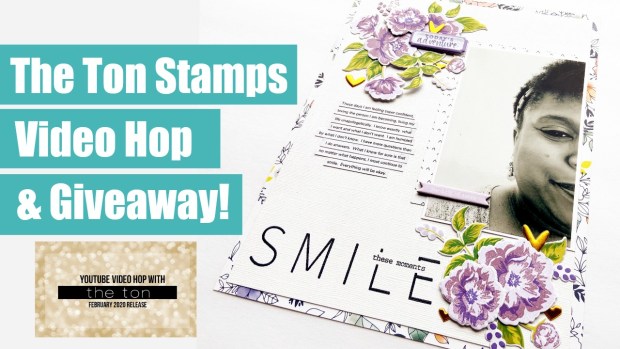
I am so excited to share a fun video hop and giveaway, hosted by The Ton Stamps! This video hop features The Ton February 2020 stamp release, which includes a large 9 x 12 inch floral scrapbooking stamp that you are sure to love!

As a guest designer for this video hop, I was sent three fantastic stamp sets, one of which can be used to easily create floral stamp layers.

The Peony Memories Scrapbooking Stamp Set is 9 x 12 inches and features a grouped set of layered floral stamps and foliage, perfect for creating layered flowers on a scrapbook layout!

This stamp set also has bars and squares that help with the alignment of each grouped stamp layer. Additionally, there is coordinating die set that can be used to cut the entire layered stamp image (floral and foliage) in one pass!

To see this stamp set and die in action, check out the video below!

Channel Hop – Win a FREE The Ton Stamp Set

Do you want to win a FREE stamp set from The Ton? To play, follow the channels that are participating in this video hop listed below.

Leave a comment on each channel by February 26, 2020 by 11:00 pm EST (Eastern Standard Time). Three winners will be chosen from the video comments and will be announced on The Ton Stamps Blog on February 29, 2020.

Participating Channels:

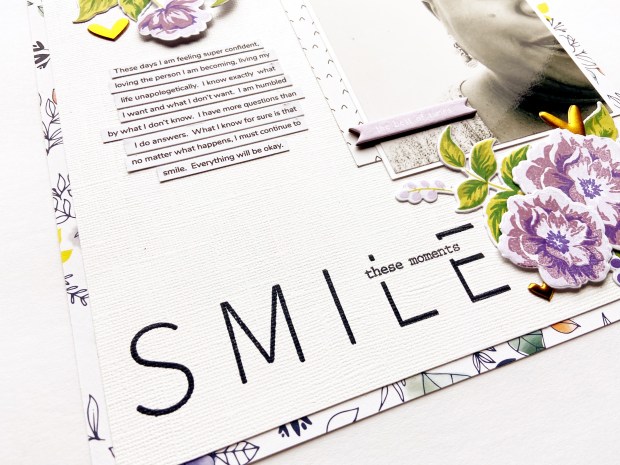
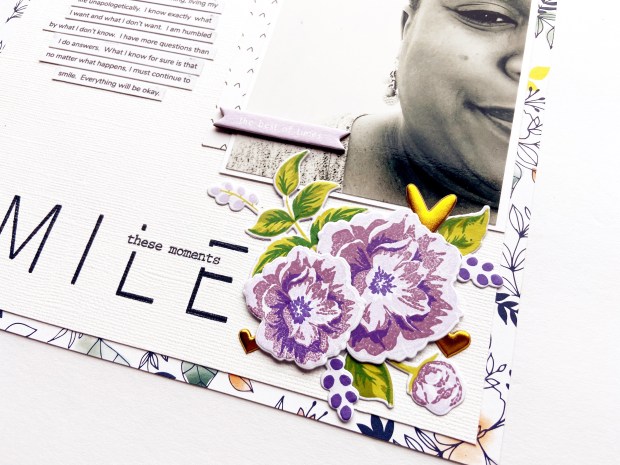
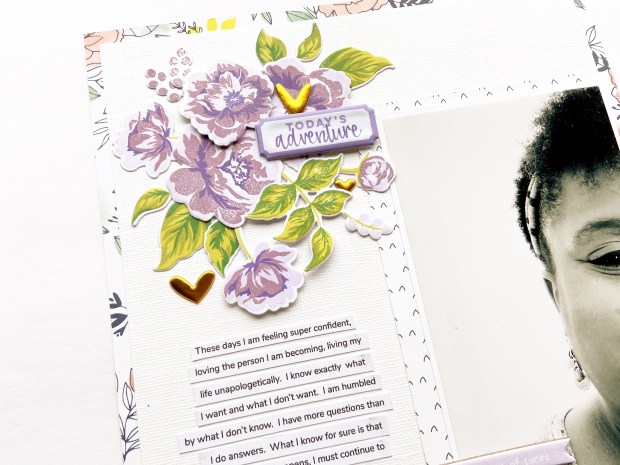
Using the Peony Memories Scrapbooking Stamp Set, I created two clusters of layered flowers in an asymmetrical design. To the top cluster, I added a purple and white puffy label sticker.

In addition to using the Peony Memories Scrapbooking Stamp Set, I also used The Ton Second Edition Fill It In Stamp Set and the phrase stamp “these moments” from the Peony Memories Stamp Set to create a title.

To finish the design, I added gold foiled puffy hearts to each cluster!

Thanks so much for stopping by! And don’t forget to play along with this video hop for a chance to win a FREE stamp set from The Ton Stamps! Good luck!

Scrapbook Process Video – unValentine!

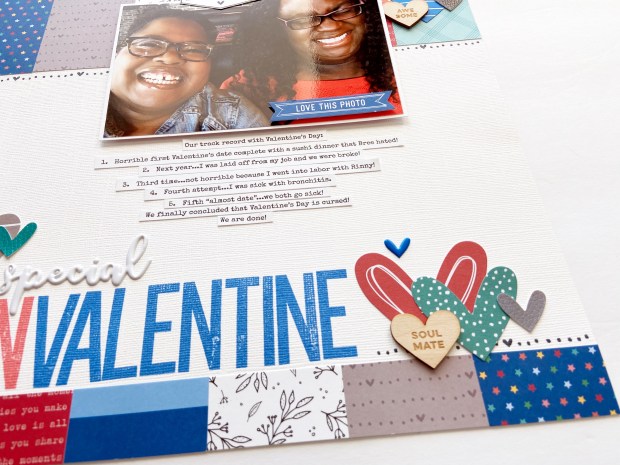
Historically, Valentine’s Day has been cursed for my spouse and I. Our first Valentine’s date was a bust! We went to a fancy sushi restaurant with really poor service. Turns out…my spouse hates sushi.

The following year, I was laid off from my job which meant that our funds were really low. Year three was an exception – I went into labor with our little girl! However, every year after that has been a crap shoot! So, we decided to stop celebrating Valentine’s Day. No more fancy dates or flowers – we are through!

Hence…unValentine’s Day!

We take our cursed Valentine’s Days with a grain of salt and lots of humor. And of course, I had to make a scrapbook layout about your misadventures on the day of love!

Check out the process video for this project on the Victoria Marie YouTube Channel. Also, photos of this layout are posted below! Enjoy!

For this layout, I used Valentine themed products from Elle’s Studio. I love the all of the blues in this collection…which is a nice departure from red and pink!

Using the Love Is 6×8 paper pad, I positioned 2 x 6 inch strips of pattern paper at the top of the layout and repeated this design at the bottom of the page, this time using 1 x 2 inch strips of pattern paper.

Clusters of hearts were positioned in a visual triangle, adding lots of movement and whimsy. The title was created using the Large Jane Alpha stamp set.

Here’s to another unValentine’s Day! Thanks for stopping by!

*** S U P P L I E S ***

Elle’s Studio Love You Lots Stamp Set – http://shrsl.com/24f1d

Elle’s Studio Love Is 6 x 8.5 Inch Paper – http://shrsl.com/24f1h

Large Jane Alpha Stamp – http://shrsl.com/24f2r

La La Love You Puffy Stickers – http://shrsl.com/24f1k

Love You Lots Metal Die – http://shrsl.com/24f1m

Valentine Multi Color Puffy Alpha – http://shrsl.com/24f1p

Little Moments Leatherette Stickers – http://shrsl.com/24f1q

You Are Loved Die Cuts – http://shrsl.com/24f1v

Wood Veneer Sweethearts – http://shrsl.com/24f1x

Disclosure: Affiliate links are provided in this post.  As an affiliate for Elle’s Studio, Victoria Marie Designs receives a small commission whenever these links are used.  Note: These links are FREE for you do use.  All opinions and reviews are that of my own.  I only recommend products that I use for both business and personal reasons, and from reputable companies that I trust. 

The Beauty of a New Year |Scrapbook Process Video

Hello Scrap Bosses! I am back with a brand new process video, now available on the Victoria Marie YouTube Channel. This scrapbook layout features the stunning Madison Kit by Felicity Jane.

At the start of every year, I create a scrapbook page where I document my goals and outlook for the new year. This yearly layout sets the tone for my upcoming scrapbooking projects, and is another way that I continue to include my personal story and point-of-view in my scrapbook albums.

To see this layout come together, click on the video below!

Creating this layout was so much fun! There is something very striking about pairing black and white elements with warm colors.

Included with the Madison Kit are a set of tiny envelopes – perfect as an embellishment or as a place for tiny journaling!

Layered floral die cuts add just the right amount of movement and whimsy.

Using die cuts and stickers to create a title is always a good idea!

I hope you are inspired to create a similar project in celebration of the new year and your goals!

Thanks for stopping by!

*** S U P P L I E S ***

This layout was created using the Madison Kit by Felicity Jane. To learn more and to purchase this kit or other Felicity Jane products, click HERE.

Note: Affiliate links are provided in this post. As an affiliate for Felicity Jane, Victoria Marie Designs receives a small commission whenever these links are used. Please note that these links are FREE for you do use. I only recommend products that I use for both business and personal reasons, and from reputable companies that I trust. Thanks for your support!